CRA My Account
Registration and Sign-In Instructions
Your CRA My Account allows you to track your refund, view or change your return, check your benefit and credit payments, view your RRSP limit, TFSA contributions, set up direct deposit, receive online mail and so much more. Click on the buttons below to take you the relevant instructions.
Register for CRA My Account
Before you can access the CRA My Account, you first have to register for an account.
Click here open the CRA My Account Registration site in another tab and then continue the registration process described below.
Step 1 - Register
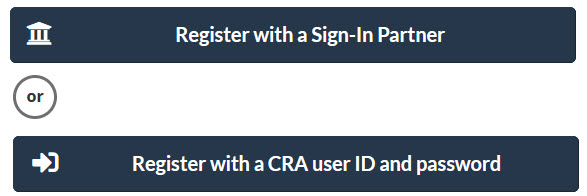
- Scroll down to 03 - Choose a sign-in option to register with and select either
- Register with a Sign-in Partner
- This allows you to register using your existing Canadian Bank Account
- Register with a CRA user ID and password
- This allows you to create a new CRA account
- Register with a Sign-in Partner
Register with a Sign-in Partner
Step 1 - Sign-in Partner
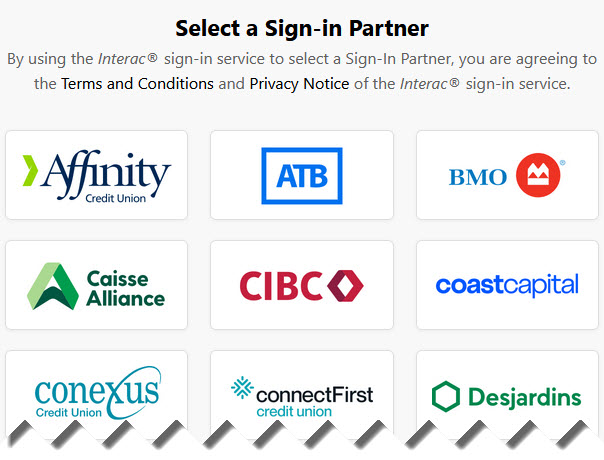
- If you selected Register with a Sign-in Partner
- Select the logo of the Bank account that you want to use to sign in to your CRA My Account
- Follow the steps to complete your registration
Register with a CRA User ID and Password
Step 1 - Validate Your Identity
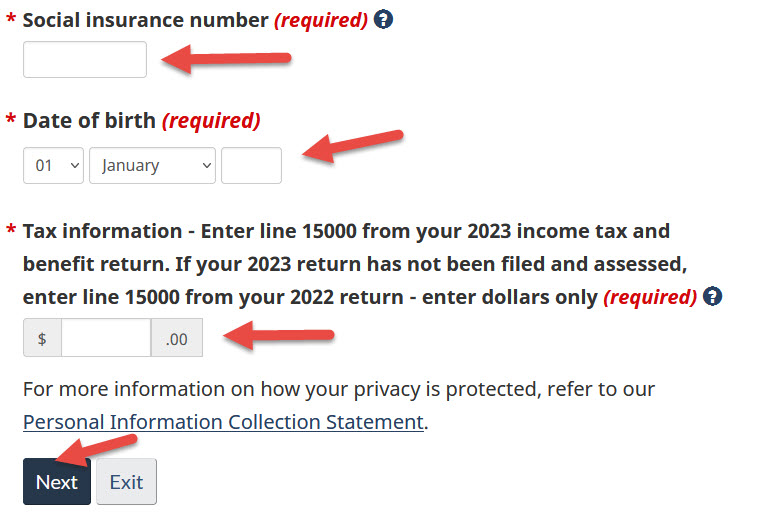
- If you selected Register with a CRA user ID and password
- Enter your Social Insurance Number (required)
- Enter your Postal Code (required)
- Enter your Date of Birth (required)
- Enter your Tax information (required)
- Enter your Social Insurance Number (required)
- Click on Next to continue
Step 2 - Create User ID and Password
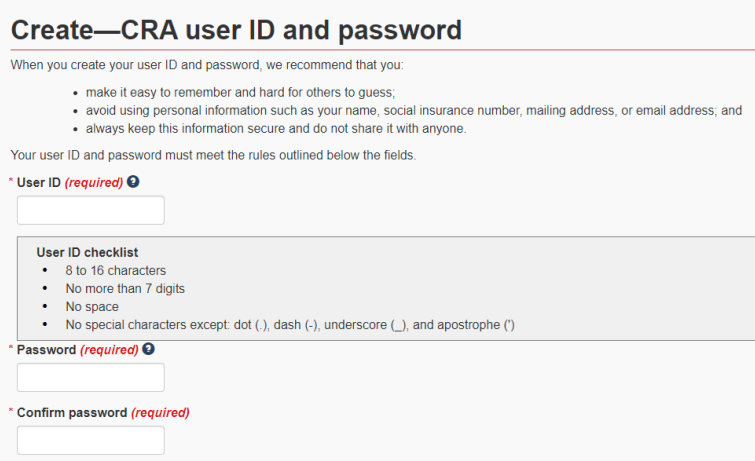
- Create your User ID and Password and then click on Next
Step 3 - Create Security Questions
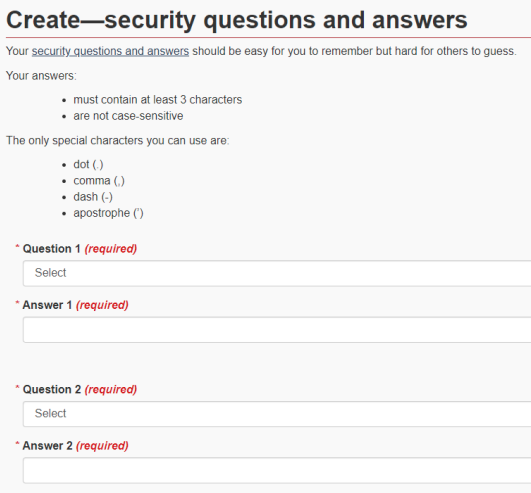
- Create your Security Questions and Answers and click on Next
Once you've completed the registration process, CRA will mail you your PIN.
Once you have received your PIN, you will need to sign in to your account to complete the process.
Sign In to CRA My Account
To sign in to your CRA My Account, click on the button and follow the instructions for one of the two Options.
Click here open the CRA My Account site in another tab and then continue the registration process described below.

- Click on Sign-In Partner button
- Select your Sign-in Partner from the list and follow the instructions

- Click on CRA user ID and password button
- Follow the online instructions and enter your User ID, CRA security code and click on Sign In button.
- if you have forgotten your password, click on Forgot your password and follow the instructions
Still need help with your CRA My Account?
If you are unsuccessful with any of the above, please fill out the form below and we would be happy to help.
Thank you for getting in touch!
One of our colleagues will get back to you shortly.
Have a great day!