IG Online

Two-step Verification
IG Online provides you with the enhanced security of Two-step Verification to protect your personal your account. This will help to minimize the risk of any unauthorized access to your account.
Due to rapid technological changes and a global increase in identity fraud, the benefit of a multi-factor authentication process is that it makes sure you’re the only one who has access to your account, even if somebody else knows your password. As of July 17, 2023 you will not be able to access your IG Online account without using this process.
Click on the buttons below to take you the relevant instructions.
Two-step Verification Methods
There are three different Two-step Verification Methods for you to receive the verification code that will give you access to your account. Click on the buttons below to take you to the corresponding instructions.
NOTE: You do not need a cellphone for your Two-step Verification. You can use a landline phone number using the Phone - Voice Call method.
Authenticator App
Use an authenticator app to generate your verfication code.
Phone - Text Message
Get your verification code sent to you via text message.
Phone - Voice Call
Get your verification code spoken to you via a phone call.
Authenticator App
Step 1 - Select Verification Method
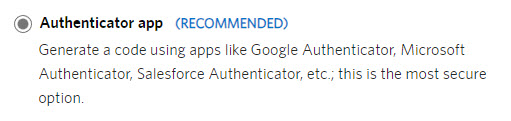
- From the Two-step Verification Screen
- Select Authenticator app
- Click on Continue
Step 2 - Scan QR Code
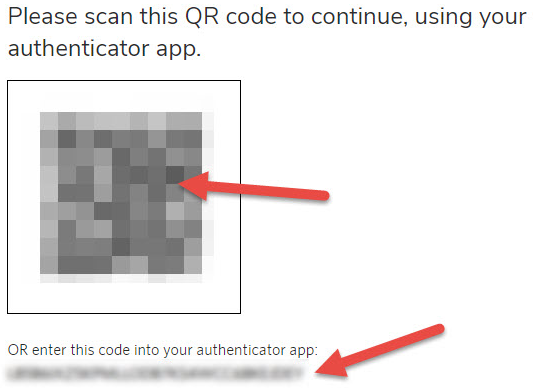
- Using your Authenticator App on your mobile phone either:
- Scan the QA code that is displayed on the screen OR
- Manually enter the code provided
- Click on Next
Step 3 - Enter Verification Code
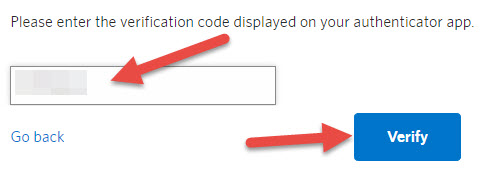
- Enter the verification code that is displayed on your authenticator app
- Click on Verify
Step 4 - Confirm
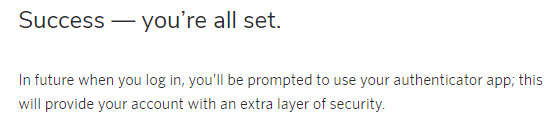
- If everything has worked correctly, you will receive a Success message
If you are having any problems, please click on the button below if you need additional help
Phone - Text Message
You can use any phone number that can receive text messages to generate your unique verification code to login to IG Online.
Step 1 - Select Verification Method
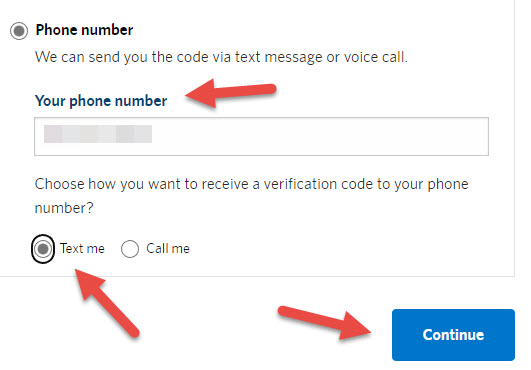
- From the Two-step Verification Screen
- Select Phone number
- Enter your phone number in the Your phone number field
- Select Text Me for how you would like to receive your verfication code
- Click on Continue
Step 2 - Receive Verification Code
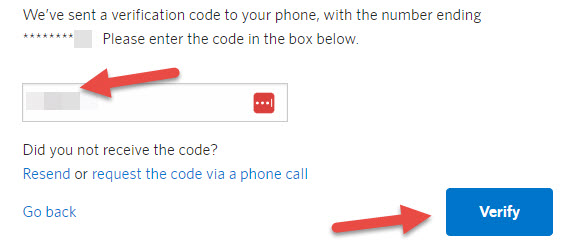
- You will receive a text message containing your Verification Code
- Enter your Verification Code in the text box
- Click on Verify
If you do not receive the Verification Code:
- Click on Resend or
- Click on request the code via a phone call
Step 3 - Confirm
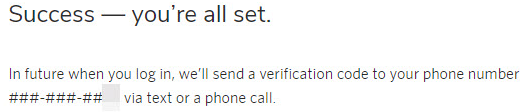
- If everything has worked correctly, you will receive a Success message
If you are having any problems, please click on the button below if you need additional help
Phone - Voice Call
You can use any phone number to receive your unique verification code via an automated phone call. The voice on the call will repeat the six-digit verification code two times before the end of the call. You might want to have something on hand to write down the verification code.
Step 1 - Select Verification Method
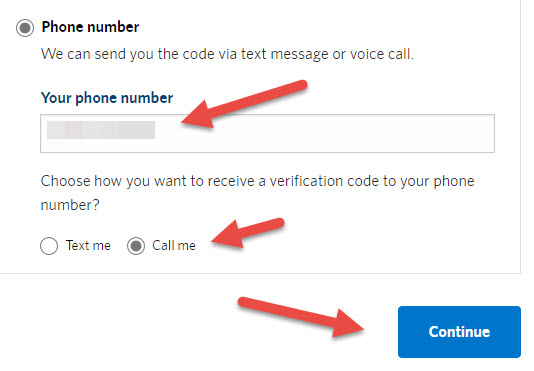
- From the Two-step Verification Screen
- Select Phone number
- Enter your phone number in the Your phone number field
- Select Call me for how you would like to receive your verfication code
- Click on Continue
Step 2 - Receive Verification Code
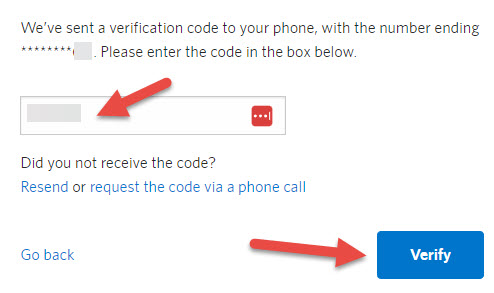
- You will receive an automated phone call that will tell you your Verification Code
- Enter your Verification Code in the text box
- Click on Verify
If you do not receive the Verification Code:
- Click on Resend or
- Click on request the code via a phone call
Step 3 - Confirm
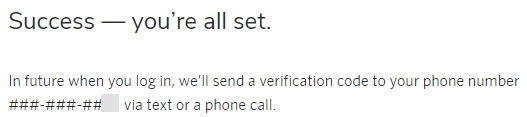
- If everything has worked correctly, you will receive a Success message
If you are having any problems, please click on the button below if you need additional help
Change Verification Methods
You can change your Two-step Verification method at any time from within your IG Online account.
Step 1 - Manage Profile
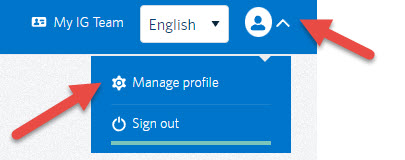
- Click on the Profile Icon or the arrow in the top right to display the sub-menu
- Click on Manage profile
- This will open the Profile settings page
Step 2 - Security Settings
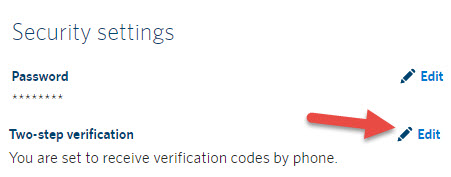
- Under the Security settings section, click on the Edit button to the right of Two-step verification
- This will open the Two-step verification settings page
Step 2 - Change Method
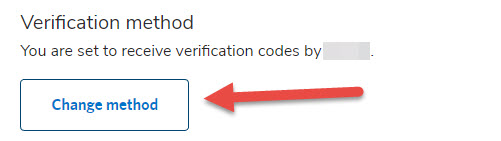
- Click on the Change method button to start the process of changing your Two-step verification method
Do you still need help with your Two-step Verification?
If you are having trouble with your Two-step Verification for your IG Online account you may contact the IG Contact Centre directly at 1-877-796-3788 (Monday - Friday, 8 am - 8 pm ET) in order to assist you or fill out the form below and we would be happy to schedule a time to facilitate a three-way call with the Contact Centre.
Thank you for getting in touch!
One of our colleagues will get back to you shortly.
Have a great day!