IG Online

Family View
Once you have signed in to your IG Online account, you can access and make changes to your Family View details.
Click here if you need Registration and Sign-In Instructions.
Step 1 - Select Overview

- Click on Overview at the top of the page
Step 2 - Select Family View
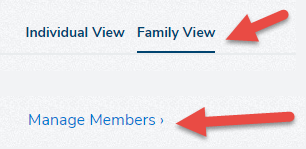
- Click on Family View
- Scroll down and click on Manage Members
Step 3 - Manage Family Group Members
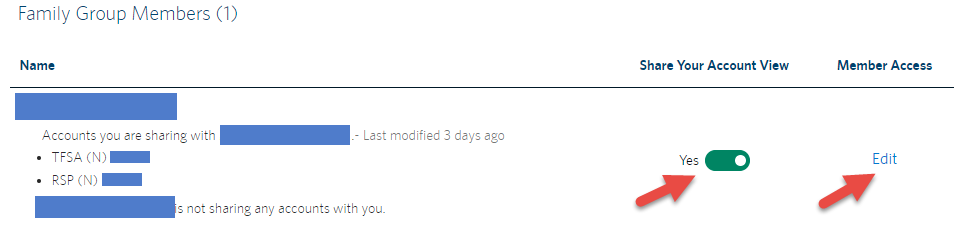
- In order to share information with members of your Family Group, click on the slider to move it to Yes under Share Your Account View column
- To change which accounts you are sharing with a Family Group Member, click on Edit under Member Access, check the boxes beside the accounts you want to share, and click Save