IG Online

Registration and Sign-In Instructions
IG Online provides you with 24/7 secure, convenient access to your IG accounts and investments from any device, at any time. Once you register for IG Online Access, you can easily view, download or print your statement or tax documentation at any time. Click on the buttons below to take you the relevant instructions.
Register for IG Online Access
Before you can access your IG Online account, you first have to register for an account.
Make sure you have your client number on hand and click here open the IG Online site in another tab. You can then continue the registration process described below.
NOTE: It's important to note that when you register for your IG Online Access account, you will automatically be set up to only receive your IG Wealth Management statements online. If you want to continue to receive any of your documents by mail, follow the Document Delivery Preferences instructions on this page after you have successfully signed in to your account.
Step 1 - Verify Your Identity
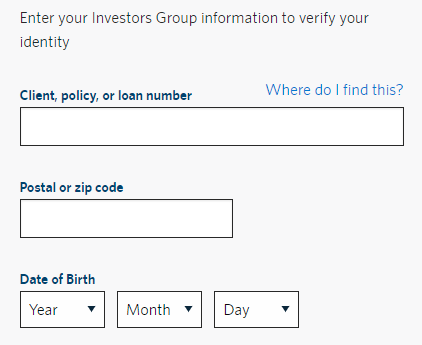
- Enter your Client number
- Enter your Postal Code
- Enter your Date of Birth
- Click on Continue
Step 2 - Create Your Online Profile
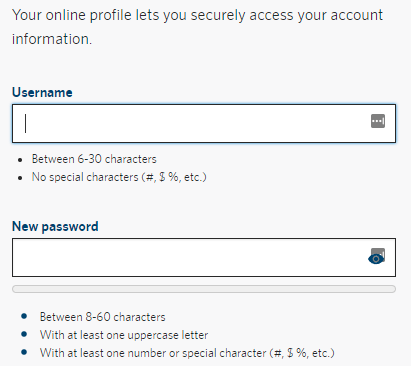
- Create your Username
- Between 6-30 characters
- No special characters (#,$,%, etc.)
- Create your Password
- Between 8-60 characters
- With at least one UPPERCASE letter
- With at least one number or special character (#,$,%, etc.)
- Click on Continue
Step 3 - Enter Your Details
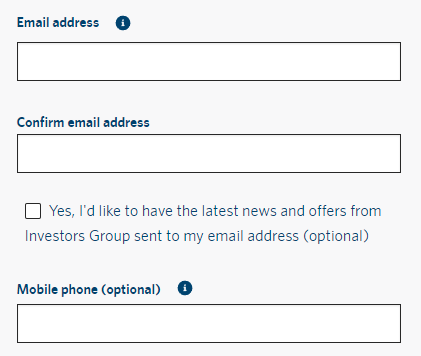
- Enter your Email Address
- Confirm your Email Address
- Enter your Mobile phone (optional)
- Click on Continue
Step 4 - Security Questions
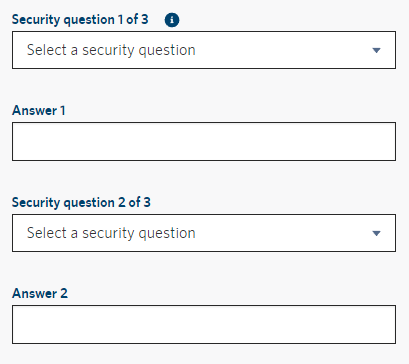
- Create your three security questions by selecting a Security question from the drop down and then entering the corresponding answer in the numbered Answer fields
Step 5 - User Agreement
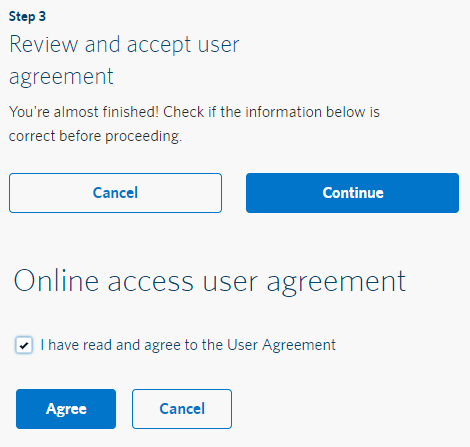
- Review your details are correct and click Continue
- Read the User Agreement
- Click the checkbox to agree to the User Agreement and then click Agree
Step 6 - Sign In
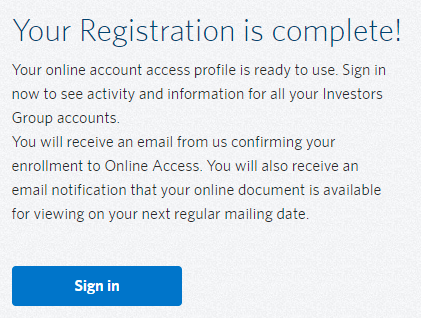
- Your registration is now complete and you can Sign-In
If you are prompted to enter your Two-step Verification code and need help with that process, please click on the button below.
Sign-In to IG Online
Once you have successfully created your IG Online account, you can then login at any time. Click here open the IG Online site in another tab and then continue the Sign-In process described below.
Note: If you have forgotten your Username and/or Password, scroll down Step 1a or 1b to see instructions for each.
Step 1 - Sign-In
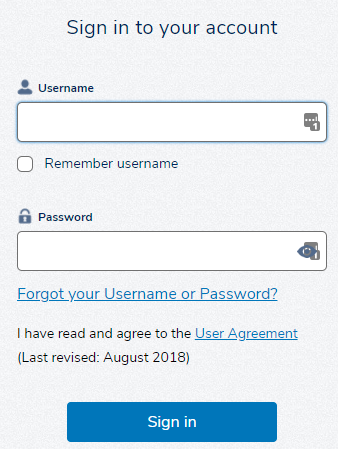
- Enter your Username
- Enter your Password
- Click on Sign in
If you are prompted to enter your Two-step Verification code and need help with that process, please click on the button below.
Step 1a - Forgot Username
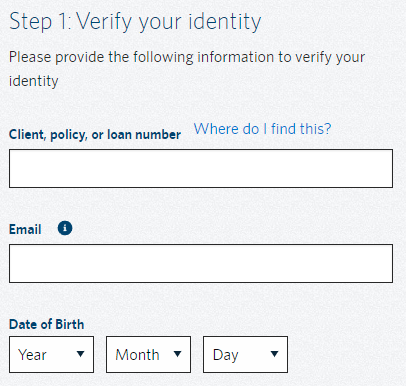
If you have forgotten the Username for you IG Online Account, click on the Forgot Username button below and follow these instructions.
You will be asked to provide your:
- Client number
- Email address used to set up your account
- Date of birth
Enter your information in the corresponding fields and then click on Continue.
Step 1b - Forgot Password
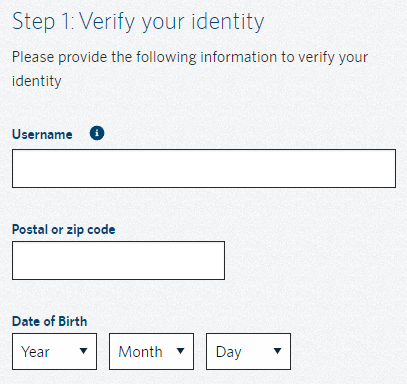
If you have forgotten the password for you IG Online Account, click on the Forgot Password button below and follow these instructions.
You will be asked to provide your:
- Username
- Postal code used to set up your account
- Date of birth
Enter your information in the corresponding fields and then click on Continue.
Need help with your IG Online account?
If you are having trouble with your IG Online account you may contact the IG Contact Centre directly at 1-877-796-3788 (Monday - Friday, 8 am - 8 pm ET) in order to assist you or fill out the form below and we would be happy to schedule a time to facilitate a three-way call with the Contact Centre.
Thank you for getting in touch!
One of our colleagues will get back to you shortly.
Have a great day!